For support teams
Stop asking them
to describe the bug.
Paste a request link in the ticket. The customer records in the browser, with no account and no install, and you get the screen back instead of another email thread.
30-day free trial · Card required · Cancel anytime during the trial
Could you record what happens when you save the card? It takes a minute, nothing to install.
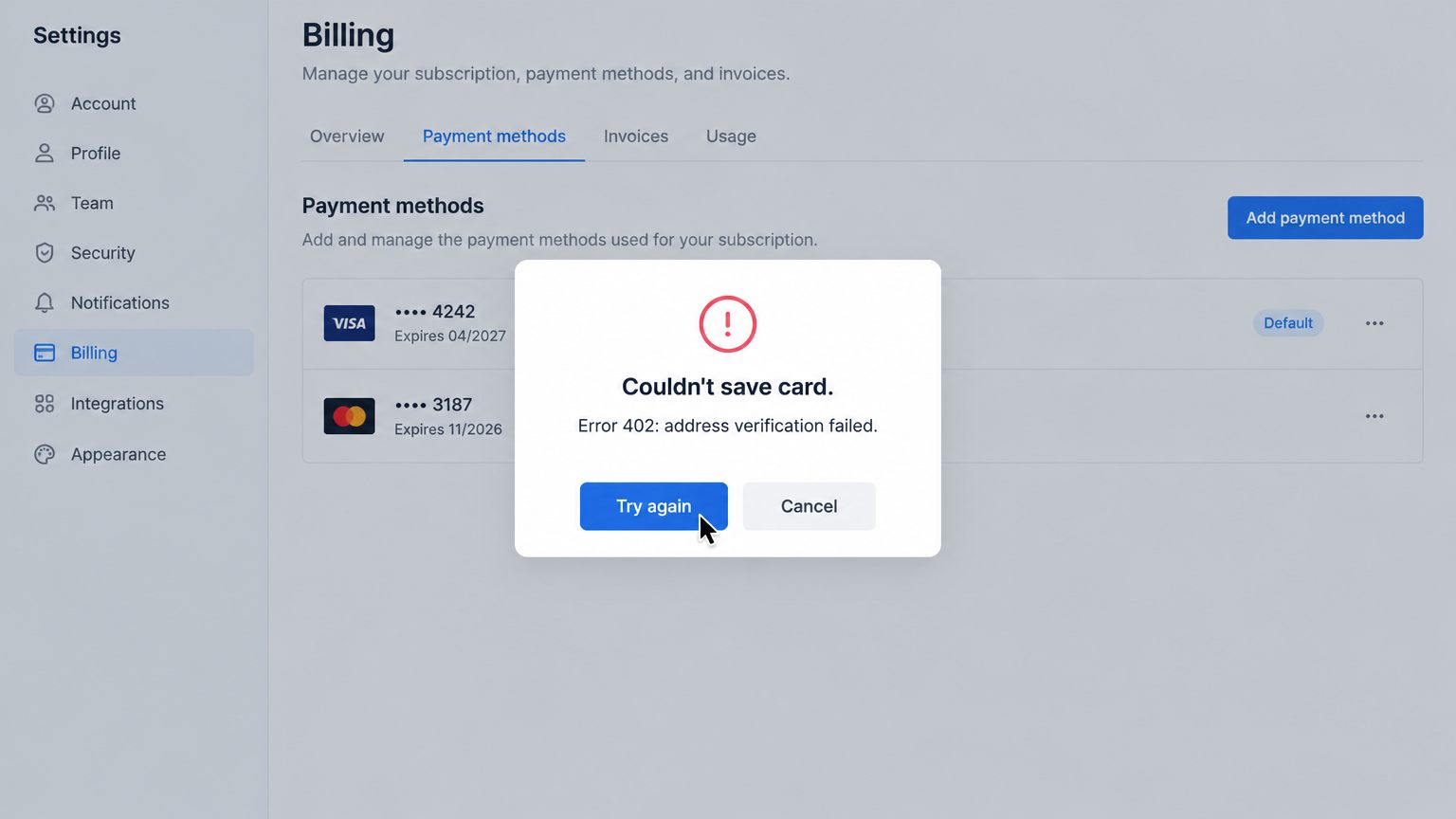
Ticket 4821 · 0:48 · transcript and summary ready
How it works
The ask and the answer, in one tool
-
You send a link
From the web app, request a recording and email it, or paste the link into the ticket yourself. It works for customers who have never heard of VidSeen.
vidseen.com/r/7H3k9Copy -
They record in the browser
Their screen, a region, or the camera. They preview and re-record before sending. When they finish, you get a notification and a share page with a transcript and summary.
ScreenRegionCamera -
Show the fix the same way
Record the resolution, send a tracked link, and see whether they opened it. No more “did you get a chance to look?”
Dana watched your fix
Finished · 2 min ago
Why it helps
Tickets that start with evidence
A description of a description is where support time goes. A recording shows the exact clicks, the error and what the customer expected.
- No account, no install
- Customers record from the link in any modern browser.
- Transcript and summary
- Skim what they said before you press play, and quote it in the ticket.
- Copy the error text
- Select the error dialog in the recording and paste the exact message into your search.
- Know your reply landed
- Your fix video is tracked too, so you can see when the customer watched it.
What it doesn’t do yet
VidSeen doesn’t attach console logs or file into Zendesk or Jira for you yet. Today, the recording and the transcript are the evidence. Integrations are on the list; the request link works now.
VidSeen vs Loom See pricingSend a request link
on your next ticket.
30-day free trial. Card required; cancel anytime during the trial and you pay nothing.